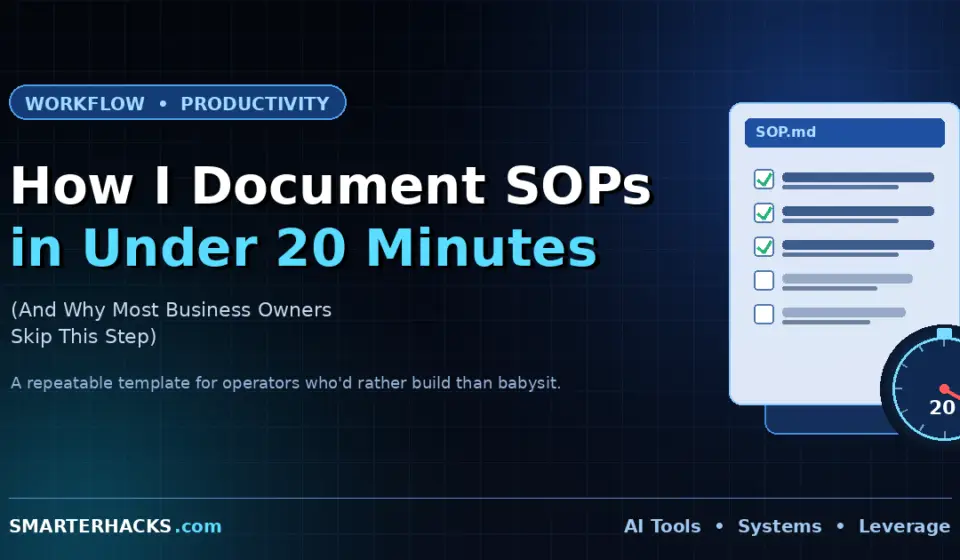
How I Document SOPs in Under 20 Minutes (And Why Most Business Owners Skip This Step)

Disclosure: This post contains affiliate links. If you purchase through these links, I may earn a commission at no extra cost to you. I only recommend tools I have personally tested and use.
Most small business owners know they should document their processes. They also don’t do it — because it feels like a project, not a task. So the knowledge stays in their head, the process stays fragile, and nothing ever gets systematized.
I’ve documented hundreds of processes across compliance consulting, digital media, and client delivery operations. I’ve also watched business owners build elaborate SOP systems they never actually used. What I’m sharing here is what works: a 20-minute process for documenting any business workflow in a format that actually gets used.
Here’s what we’re covering: why most SOP documentation fails, the exact format I use, a step-by-step walkthrough, and the one tool decision that determines whether anyone actually follows the process.
Why Most Business Owners Skip SOP Documentation
It’s not laziness. It’s the way the task is framed.
Most people think of SOP documentation as a writing project — something you sit down and produce all at once, with a beginning, middle, and end. That framing is wrong, and it’s why it never gets done. It feels like overhead, not output.
The right frame: documenting a process is capturing what already happened. You’re not creating anything new. You’re just writing down what you just did, or what you do every time. That’s a 20-minute task, not a two-day project.
The other failure mode is over-engineering. Eight-page SOPs with flowcharts and version control tables don’t get read. They get filed. A one-page document that someone actually uses beats a comprehensive manual that doesn’t.
The Format I Use for Every SOP
Every process I document follows the same structure — five sections, nothing more:
1. Process Name and Owner
What is this process called? Who is responsible for running it? One line each. If there’s no owner, there’s no accountability — this is the first place most SOPs break down.
2. Trigger
What starts this process? A client signature, an inbound lead, a calendar event, a completed deliverable? The trigger is the input. If it’s not defined, the process starts on whoever’s gut feeling — which means it starts inconsistently.
3. Steps (Numbered, Action-Verb Lead)
Each step starts with a verb: send, schedule, complete, review, upload. Not ‘the invoice should be sent’ — ‘Send the invoice to the client within 24 hours of the deliverable being accepted.’ Numbered, specific, one action per step.
Target 5–10 steps. If you’re past 10, you have a macro-process. Break it into sub-processes and document each separately.
4. Output
What does done look like? A signed contract in the client folder. A published post in WordPress with Yoast green. A ClickUp task marked complete with the deliverable attached. Define done before you start the process — otherwise ‘done’ is subjective, and subjective means inconsistent.
5. Tools and Links
List every tool used in the process with direct links where possible. Don’t make the person running this process hunt for the right template or the right folder. Put the links in the SOP. This is where Notion earns its keep — hyperlinks in an SOP document cut friction in half.
[AFFILIATE LINK: Notion]
The 20-Minute Walkthrough
Here’s exactly how I document a process from scratch:
Minutes 0–5: Run through the process once in your head or on a scratch doc. Write down every action you take, in order, without editing. Don’t organize — just capture. This is the raw material.
Minutes 5–10: Clean the raw list into numbered steps with action verbs. Combine steps that always happen together. Split any step that has more than one action. Kill anything that isn’t actually necessary.
Minutes 10–15: Add the header fields — name, owner, trigger, output. Review the steps against those fields. Does the trigger actually start step 1? Does the output match what step 10 produces? Align them.
Minutes 15–20: Add tool links, template links, and any decision points. A decision point is any step where the action changes based on a condition — ‘If the client hasn’t responded in 48 hours, send the follow-up template.’ Capture those explicitly. They’re the most common place processes break down.
That’s it. You have a working SOP.
Where to Store It So It Actually Gets Used
This is the decision that determines whether your SOP system works.
If your SOPs live in a Google Doc in a folder somewhere, they won’t get used. Not because the content is bad — because the friction of finding them is too high. Every time someone needs the process, they have to search for it, remember where it lives, and navigate to it. That’s three steps before they’ve done anything productive.
Notion solves this because it makes SOPs navigable and linkable. Build a simple SOP library in Notion: a database with one entry per process, tagged by category. From there, link to specific SOPs directly in relevant places — inside ClickUp task descriptions, in project kickoff notes, in client onboarding checklists. The SOP comes to the work, not the other way around.
For task-based processes, ClickUp handles this differently — you can embed process steps directly in task templates and recurring tasks. The person assigned to the task sees the steps without having to find a separate document. Both approaches work. The key is that the SOP has to live where the work happens, not in a documentation system that only gets visited when someone remembers it exists.
[AFFILIATE LINK: Notion] · [AFFILIATE LINK: ClickUp]
The One Process to Document First
If you’re starting from zero, don’t try to document your entire business. Document the process that causes the most pain when it goes wrong.
For most service businesses, that’s client onboarding. When onboarding breaks, the client relationship starts on the wrong foot, deliverables get delayed, and you spend the first two weeks of an engagement doing damage control instead of work. Document that first.
For solopreneurs running a content operation, that’s usually the content production cycle. When that breaks, you miss publish dates, affiliate links go unchecked, and your SEO momentum stalls. Document that next.
One solid SOP is worth more than ten incomplete ones. Start small. Build the habit. The system scales from there — see how in Post 1 of this series: [INTERNAL LINK: How to Build Business Systems That Actually Scale].
THE VERDICT Document your highest-risk process first. Use the five-section format. Do it in 20 minutes, not 20 days. SOP documentation isn’t a project — it’s a habit. The operators who systemize fast are the ones who treat documentation as the last step of every process, not a separate initiative. Start with one. Build from there. |
Not sure which processes to document first? Download the free Small Business Ops Audit Checklist — a structured self-assessment that surfaces the highest-impact gaps in your current operations. Free. No fluff. → [LEAD MAGNET LINK] |