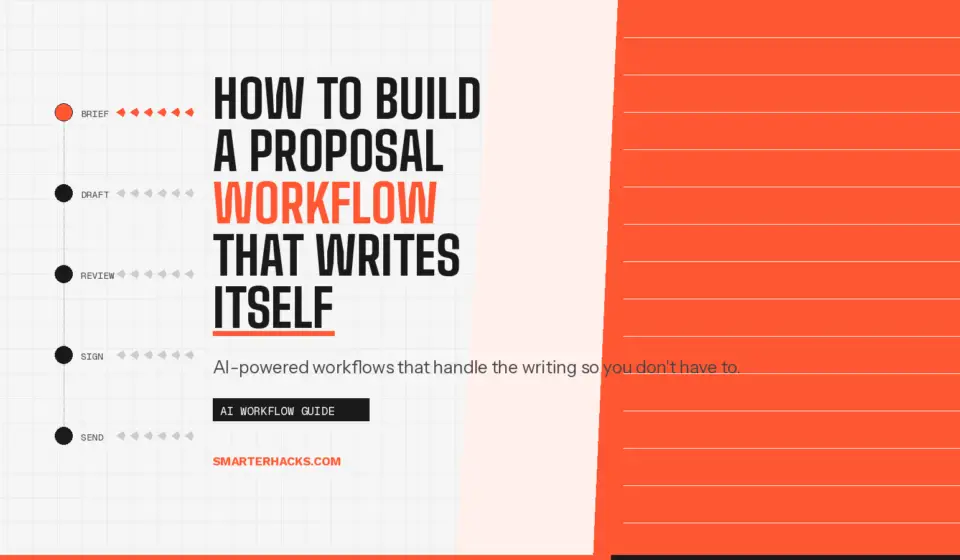
How to Build a Proposal Workflow That Writes Itself

Disclosure: This post contains affiliate links. If you purchase through these links, I may earn a commission at no extra cost to you. I only recommend tools I have personally tested and use.
Every proposal you send from scratch is wasted time. The discovery call is done, the scope is in your head, and you’re staring at a blank page building the same document you built for the last three clients. That’s not a writing problem. It’s a systems problem.
I run two active businesses. Every consulting engagement I take at Smarter Hacks starts with a proposal. I used to spend two to three hours on each one. Now I spend about 25 minutes — and most of that is review, not writing. The difference is a documented proposal workflow with an AI step baked into the middle.
In this post I’ll walk through the exact proposal writing workflow I use, how AI handles the first draft from a 5-bullet brief, and what you need to set up once so the system runs every time.
Why Most Proposals Take Way Too Long
The average service business owner spends two to four hours writing a proposal for a new client. For a $3,000 engagement, that’s a meaningful chunk of your margin gone before the work even starts. And the painful part: 80% of that document is identical to the last one you sent.
The problem isn’t that proposals are complicated. It’s that most people treat every proposal as a custom document when it should be a templated system with variable fields. The client name changes. The scope changes. The investment changes. The rest — your methodology, your terms, your why-hire-me section — stays the same.
Once you see it that way, the fix is obvious: build the template once, document the variable fields, and let AI fill the gaps from your discovery call notes.
The 4-Part Proposal System
This system has four components. You build parts 1 and 2 once. Parts 3 and 4 run on every engagement.
Part 1 — The Master Template
Your master template is the locked structure every proposal follows. It doesn’t change client to client. Mine includes:
- Engagement overview table (client name, tier, proposed start, investment, valid-through date)
- Understanding of your situation (2–3 sentences — this is the only truly custom section)
- Proposed solution (specific, concrete, references the tier)
- Scope of work (in-scope and out-of-scope)
- Timeline by phase
- Investment and payment terms
- Why Smarter Hacks (locked — same every time)
- Next steps
Build this in a Word doc or Google Doc. Lock the sections that never change. Leave clear placeholders for the variable fields. This is your SOP artifact — the document your workflow pulls from every time.
Part 2 — The Discovery Call Brief
Before the AI can help you, it needs input. After every discovery call, I write a 5-bullet brief before I close the call notes. It takes three minutes and becomes the source material for the entire proposal.
The 5-bullet brief captures:
- Client’s core pain in their own words
- What they’ve already tried
- The outcome they’re paying for
- Scope boundary — what’s in and what’s not
- Investment level and tier
This brief is the input. The template is the structure. AI is the engine that connects them.
Part 3 — The AI Draft Step
Here’s the exact prompt I use to generate the first draft from the 5-bullet brief. Copy it, customize the placeholders, and paste it into Claude or ChatGPT after every discovery call.
THE PROPOSAL PROMPT
You are helping me write a consulting proposal for a new client engagement. Use the information below to draft the following sections: (1) Understanding of Your Situation — 2 to 3 sentences in the client’s language reflecting their specific pain, not a generic summary. (2) Proposed Solution — concrete, specific, references what I will build or deliver. (3) Scope of Work — 4 to 5 in-scope bullet points and 3 out-of-scope exclusions. (4) Timeline — 4-phase breakdown across 6 weeks. Client brief: [PASTE YOUR 5-BULLET BRIEF HERE] Tone: direct, professional, operator-to-operator. No filler. No generic consulting language. Write as if I have already done this exact type of engagement before.
The output is a first draft of the four variable sections. I paste those into my locked template, do a voice pass to make sure it sounds like me, and send it. Total time: under 30 minutes.
Part 4 — Send, Track, and Follow Up
The proposal is worthless if it disappears into a prospect’s inbox and you forget to follow up. This is where a lightweight CRM earns its keep.
I log every proposal in [AFFILIATE LINK: HubSpot CRM] — free tier, no credit card required. The moment I send a proposal, the deal moves to the Proposal stage in my pipeline. I set a 5-day follow-up reminder. If I don’t hear back, I send a single follow-up email. If silence continues after that, I close the deal as lost and move on.
No chasing. No guessing. The pipeline tells me exactly where every engagement stands.
The Mistakes That Kill Proposal Efficiency
Before this system was locked, I made all three of these mistakes. Don’t repeat them.
- Writing the proposal before the discovery call is done — you’ll rewrite half of it after
- Skipping the 5-bullet brief and asking AI to draft from memory — the output is generic and useless
- Sending before a voice pass — AI-drafted proposals sound like AI-drafted proposals without a human review layer
The brief is the highest-leverage step in this system. Three minutes of structured capture after the call saves 90 minutes of context reconstruction later.
What This System Actually Changes
When the proposal workflow is documented and running, three things happen. First, you stop losing proposals to procrastination — the system is faster than avoidance. Second, your proposals get more consistent, which means fewer scope conversations mid-engagement. Third, you start to see patterns in what works and what doesn’t, because every proposal follows the same structure.
Speed is the obvious benefit. Consistency is the compounding one.
THE VERDICT
Build the template once, document the 5-bullet brief process, and use the AI prompt above on every engagement.
This system works for any solo operator or small team doing B2B service work. If your proposals take more than 45 minutes, the template isn’t built yet. Start there. The AI step comes after.
Want me to audit your proposal process and build this system for your business?
Book a free 30-minute discovery call at calendly.com/smarterhacks
No pitch until I’ve shown you something useful.