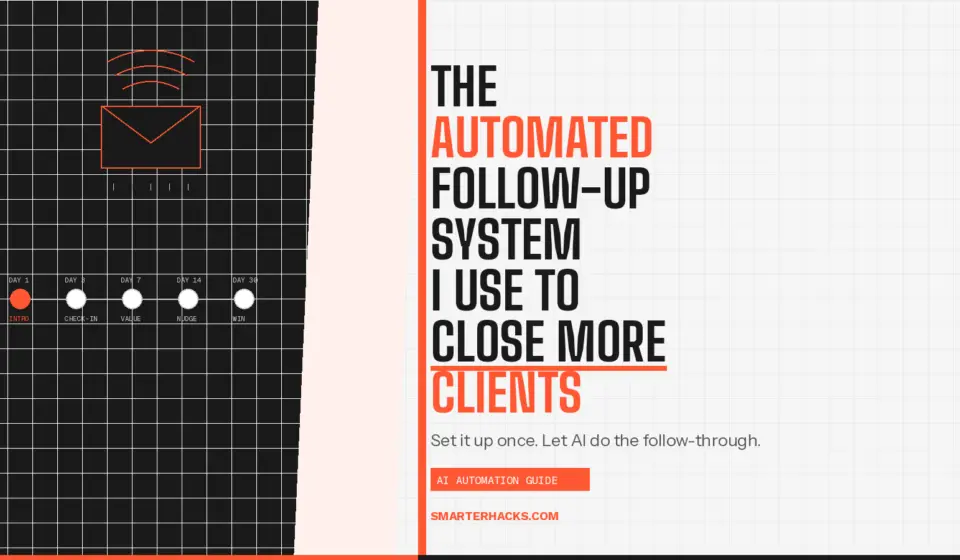
The Automated Follow-Up System I Use to Close More Clients

Disclosure: This post contains affiliate links. If you purchase through these links, I may earn a commission at no extra cost to you. I only recommend tools I have personally tested and use.
Most deals don’t close because nobody followed up. Not because the price was wrong. Not because the prospect wasn’t interested. Because the proposal went out, a week passed, and the conversation died quietly in someone’s inbox.
I’ve run consulting engagements across two businesses long enough to know that follow-up is not a sales skill. It’s a systems problem. The people who follow up consistently aren’t more disciplined — they have a system that does it for them.
This post covers the exact follow-up system I run at Smarter Hacks. Three triggers, two email templates, one CRM, and a Zapier automation that handles the reminders so I don’t have to think about it.
Why Follow-Up Fails Without a System
Here’s what follow-up looks like without a system: you send a proposal, it feels awkward to chase, you tell yourself they’ll respond when they’re ready, and three weeks later, you realize you never heard back, and the opportunity is gone.
Manual follow-up depends on memory, which fails. It depends on motivation, which is inconsistent. And it depends on knowing when to follow up, which requires tracking — something most solo operators aren’t doing in any structured way.
The fix isn’t more discipline. It’s removing the decision entirely. A documented system with clear triggers and pre-written templates means follow-up happens on schedule, every time, without you having to decide whether or when to send it.
The 3-Trigger Follow-Up System
This system runs on three triggers. Each trigger has one action. The whole thing is tracked in your CRM — I use [AFFILIATE LINK: HubSpot CRM] on the free tier, which covers everything here with no cost.
Trigger 1 — Proposal Sent (Day 0)
The moment a proposal goes out, one thing happens: a deal record moves to the Proposal stage in HubSpot, and a 5-day follow-up task is created automatically.
I do this manually right now using a Zapier workflow that fires when I move a Gmail label to “Proposal Sent.” The Zap creates the HubSpot deal and sets the task. Takes about 45 minutes to set up once and runs forever.
No CRM entry = no follow-up. The logging step is non-negotiable.
Trigger 2 — No Response at Day 5
If I haven’t heard back in 5 days, I send a single follow-up email. Here’s the template I use:
FOLLOW-UP EMAIL — DAY 5
Subject: Re: [Client Name] — Proposal Hi [Name], Just circling back on the proposal I sent last week. Happy to answer any questions or adjust scope if the engagement isn’t quite the right fit right now. If timing is off, no problem — just let me know and I’ll close this out on my end. Mark
Short. No pressure. One ask. The “close it out” line is intentional — it gives them a low-friction exit and often gets a response from people who were procrastinating on a reply.
Trigger 3 — No Response at Day 12
If Day 5 gets no response, I send one final email at Day 12. Then I close the deal as lost in HubSpot and move on. No third follow-up. No more chasing.
FOLLOW-UP EMAIL — DAY 12
Subject: Closing out — [Client Name] Hi [Name], I’m going to go ahead and close this on my end — I know things get busy. If the timing is ever right to revisit, my schedule is at calendly.com/smarterhacks. Thanks for the conversation. Mark
This email consistently gets responses. People who weren’t ready to say yes often respond to the door closing. Some convert immediately. Some ask to revisit in 30 days. Either way, you have an answer instead of an open loop.
The Automation Layer
Manual reminders work until they don’t. The automation layer removes human error from the system. Here’s how I have it set up using [AFFILIATE LINK: Zapier]:
- Trigger: Gmail label “Proposal Sent” applied to a thread
- Action 1: Create a HubSpot deal record in the Proposal stage
- Action 2: Create a HubSpot task — “FolIow up — Day 5” — due in 5 days
- Action 3 (optional): Send myself a Slack notification so I know the deal is logged
When the Day 5 task fires, I open the pre-written template, paste in the client name, and send. Thirty seconds. When I mark that task complete, I manually create the Day 12 task.
You can automate the Day 12 task creation too using HubSpot’s built-in task sequences if you’re on a paid tier. On free, the manual creation after Day 5 is the right approach — it takes 20 seconds and keeps you in the loop.
What to Track in Your CRM
The CRM is not a database. It’s a decision support tool. Every deal record in HubSpot should tell you three things at a glance: where the prospect is in the process, what the next action is, and when that action is due.
For the follow-up system, I track five fields per deal:
- Deal name — client name + engagement type
- Stage — Proposal Sent / Follow-Up 1 / Follow-Up 2 / Closed Won / Closed Lost
- Proposal amount
- Next task and due date
- Last contact date
That’s it. Any more than that and you’re managing the CRM instead of using it. Keep it lean.
Why This Works When Willpower Doesn’t
The system works because it removes the subjective decision about whether to follow up. You don’t ask yourself “should I send another email?” The answer is already documented: Day 5, one email. Day 12, one email. Then close.
It also protects your positioning. You’re not chasing. You’re running a professional process. The tone of both templates reflects that — no apology, no desperation, one clear offer to help and one clear path to close.
Over time, the pipeline data tells you something useful: what percentage of proposals convert, which engagement tiers move fastest, and where deals are dying. That data improves your intake process, your pricing, and your discovery call — all upstream of the proposal.
THE VERDICT
Use this system if you’re doing any B2B service work and your follow-up process is “I try to remember.”
Set up HubSpot free, build the Zapier trigger, copy both email templates, and run the system on your next proposal. The Zap takes under an hour to build. The templates take 10 minutes to personalize. You’ll recover that time on the first deal you close that would have gone silent.
Want me to audit your proposal process and build this system for your business?
Book a free 30-minute discovery call at calendly.com/smarterhacks
No pitch until I’ve shown you something useful.